JQuery-UIのResizableとDraggableを利用してスケジュール表を作る その3(ドラッグでの移動)
おはようございます。
なかなか時間がとれず、あまり進んでいないのですが、
とりあえずドラッグできるようにしたので晒します。
プログラムは、
前回から結構変わってしまっている(主に表が)ので一応全体を。
スポンサーリンク
画面
sample.html
<!DOCTYPE html>
<html lang="ja">
<head>
<meta charset="UTF-8">
<title>要素のドラッグとリサイズのサンプル</title>
<link rel="stylesheet" href="http://code.jquery.com/ui/1.10.0/themes/base/jquery-ui.css" />
<link rel="stylesheet" href="./css/style.css" />
</head>
<body>
<div class="frame">
<h2> ◆2018年9月のスケジュール</h2>
<div id="head_left" class="table_left_top">
<table class="duty_w" style="width: 360px; height: 53px;" cellspacing="1" cellpadding="0" border="0">
<tbody>
<tr>
<td style="width:100px;">ID</td>
<td>氏名</td>
</tr>
</tbody>
</table>
</div>
<div class="table_left_bottom">
<table class="duty_w" style="width: 360px;" cellspacing="1" cellpadding="0" border="0">
<tbody>
<tr>
<td style="width:100px;">001</td>
<td class="lt">テスト太郎</td>
</tr>
<tr>
<td>002</td>
<td class="lt">テスト一郎</td>
</tr>
<tr>
<td>003</td>
<td class="lt">テスト二郎</td>
</tr>
</tbody>
</table>
</div>
<div id="head_right" class="table_right_top">
<table class="duty_w top" cellspacing="1" cellpadding="0" border="0">
<tbody>
<tr>
<th class="tableCell">01日 <br>木</th>
<th class="tableCell">02日 <br>金</th>
<th class="tableCell">03日 <br>土</th>
<th class="tableCell">04日 <br>日</th>
<th class="tableCell">05日 <br>月</th>
<th class="tableCell">06日 <br>火</th>
<th class="tableCell">07日 <br>水</th>
<th class="tableCell">08日 <br>木</th>
<th class="tableCell">09日 <br>金</th>
<th class="tableCell">10日 <br>土</th>
<th class="tableCell">11日 <br>日</th>
<th class="tableCell">12日 <br>月</th>
<th class="tableCell">13日 <br>火</th>
<th class="tableCell">14日 <br>水</th>
<th class="tableCell">15日 <br>木</th>
<th class="tableCell">16日 <br>金</th>
<th class="tableCell">17日 <br>土</th>
<th class="tableCell">18日 <br>日</th>
<th class="tableCell">19日 <br>月</th>
<th class="tableCell">20日 <br>火</th>
<th class="tableCell">21日 <br>水</th>
<th class="tableCell">22日 <br>木</th>
<th class="tableCell">23日 <br>金</th>
<th class="tableCell">24日 <br>土</th>
<th class="tableCell">25日 <br>日</th>
<th class="tableCell">26日 <br>月</th>
<th class="tableCell">27日 <br>火</th>
<th class="tableCell">28日 <br>水</th>
<th class="tableCell">29日 <br>木</th>
<th class="tableCell">30日 <br>金</th>
<th class="tableCell">31日 <br>土</th>
</tr>
</tbody>
</table>
</div>
<div id="detail" style="height: 122px;" class="table_right_bottom">
<div id="panel1" class="panel panel1"><span class="label"> </span></div>
<div id="panel2" class="panel panel2"><span class="label"> </span></div>
<table id="detailTable" class="duty_w" onselectstart="return false;" cellspacing="1" cellpadding="0" border="0">
<tbody>
<tr id="row1">
<td class="tableCell"></td>
<td class="tableCell"></td>
<td class="tableCell"></td>
<td class="tableCell"></td>
<td class="tableCell"></td>
<td class="tableCell"></td>
<td class="tableCell"></td>
<td class="tableCell"></td>
<td class="tableCell"></td>
<td class="tableCell"></td>
<td class="tableCell"></td>
<td class="tableCell"></td>
<td class="tableCell"></td>
<td class="tableCell"></td>
<td class="tableCell"></td>
<td class="tableCell"></td>
<td class="tableCell"></td>
<td class="tableCell"></td>
<td class="tableCell"></td>
<td class="tableCell"></td>
<td class="tableCell"></td>
<td class="tableCell"></td>
<td class="tableCell"></td>
<td class="tableCell"></td>
<td class="tableCell"></td>
<td class="tableCell"></td>
<td class="tableCell"></td>
<td class="tableCell"></td>
<td class="tableCell"></td>
<td class="tableCell"></td>
<td class="tableCell"></td>
</tr>
<tr id="row2">
<td class="tableCell"></td>
<td class="tableCell"></td>
<td class="tableCell"></td>
<td class="tableCell"></td>
<td class="tableCell"></td>
<td class="tableCell"></td>
<td class="tableCell"></td>
<td class="tableCell"></td>
<td class="tableCell"></td>
<td class="tableCell"></td>
<td class="tableCell"></td>
<td class="tableCell"></td>
<td class="tableCell"></td>
<td class="tableCell"></td>
<td class="tableCell"></td>
<td class="tableCell"></td>
<td class="tableCell"></td>
<td class="tableCell"></td>
<td class="tableCell"></td>
<td class="tableCell"></td>
<td class="tableCell"></td>
<td class="tableCell"></td>
<td class="tableCell"></td>
<td class="tableCell"></td>
<td class="tableCell"></td>
<td class="tableCell"></td>
<td class="tableCell"></td>
<td class="tableCell"></td>
<td class="tableCell"></td>
<td class="tableCell"></td>
<td class="tableCell"></td>
</tr>
<tr id="row3">
<td class="tableCell"></td>
<td class="tableCell"></td>
<td class="tableCell"></td>
<td class="tableCell"></td>
<td class="tableCell"></td>
<td class="tableCell"></td>
<td class="tableCell"></td>
<td class="tableCell"></td>
<td class="tableCell"></td>
<td class="tableCell"></td>
<td class="tableCell"></td>
<td class="tableCell"></td>
<td class="tableCell"></td>
<td class="tableCell"></td>
<td class="tableCell"></td>
<td class="tableCell"></td>
<td class="tableCell"></td>
<td class="tableCell"></td>
<td class="tableCell"></td>
<td class="tableCell"></td>
<td class="tableCell"></td>
<td class="tableCell"></td>
<td class="tableCell"></td>
<td class="tableCell"></td>
<td class="tableCell"></td>
<td class="tableCell"></td>
<td class="tableCell"></td>
<td class="tableCell"></td>
<td class="tableCell"></td>
<td class="tableCell"></td>
<td class="tableCell"></td>
</tr>
</tbody>
</table>
</div>
</div>
</body>
<script type="text/javascript" src="https://code.jquery.com/jquery-3.2.1.min.js"></script>
<script src="http://code.jquery.com/jquery-1.8.3.js"></script>
<script src="http://code.jquery.com/ui/1.10.0/jquery-ui.js"></script>
<script>
$(document).ready( function () {
$('#panel1, #panel2').resizable({
handles: "e"
, grid: [37, 25]
});
$('#panel1, #panel2').draggable({
containment: "#detailTable"
, grid: [37, 0]
, opacity: 0.7
, scroll: true
});
} );
</script>
</html>スタイル
style.css
body {
	margin: 0px;
	padding: 0px;
	background: transparent url('../img/con_bk2.gif') repeat scroll 0% 0%;
	/*background-color: #f4ffe7;*/
}

div, p, td, th, li {
	font-size: 14px;
	line-height: 18px;
	color: rgb(51, 51, 51);
	font-family: Arial, Helvetica, sans-serif;
}

td, th {
	white-space: nowrap;
}

.main_content {
	padding-top: 50px;
}

table.duty_w {
	margin: 0px;
	background-color: #006100;
}

table.duty_w th {
	font-size: 12px;
	font-weight: normal;
	line-height: 100%;
	padding: 2px 3px 1px;
}

table.duty_w td {
	font-size: 12px;
	font-weight: normal;
	line-height: 100%;
	background-color: #FFFFFF;
	padding: 2px 3px 1px;
	text-align: center;
}

table.duty_w td.lt {
	font-size: 12px;
	font-weight: normal;
	line-height: 100%;
	background-color: #FFFFFFF;
	padding: 2px 10px 1px;
	text-align: left;
	height: 25px;
}
.table_left_top table td {
	background-color: #cccccc;
	font-weight: normal !important;
	color: #FFFFFF;
}
.table_left_bottom table td {
	height: 28px;
}

.frame {
	height: 300px;
}
.table_left_top {
	height: 85px;
	width: 400px;
	overflow: hidden;
	position: absolute;
}
.table_left_bottom {
	height: 249px;
	width: 400px;
	overflow: hidden;
	position: absolute;
}
.table_right_top {
	height: 100px;
	overflow: hidden;
	position: absolute;
}
.table_right_bottom {
	height: 266px;
	overflow: scroll;
	position: absolute;
}
.table_right_top table.top {
	height: 53px;
}
.table_right_bottom table.bottom {
}
.tableCell {
	background-color: #FFFFFF;
	color: black;
	min-width: 30px;
	height: 28px;
}


table.duty_w {
	background-color: #006100;
}
table.duty_w th {
	background-color: #cccccc;
	font-weight: normal !important;
	color: #FFFFFF;
}

.table_left_top     { left: 10px;  top: 40px; }
.table_left_bottom  { left: 10px;  top: 92px; }
.table_right_top    { left: 369px; top: 40px; }
.table_right_bottom { left: 369px; top: 92px; }


.panel {
	margin-top: 10px;
	min-width: 34px;
	min-height: 25px;
	margin: 2px;
	top: 0px;
	left: 0px;
	border-top-left-radius: 5px;     /* 左上 */
	border-top-right-radius: 5px;    /* 右上 */
	border-bottom-right-radius: 5px; /* 右下 */
	border-bottom-left-radius: 5px;  /* 左下 */
    position:absolute;
}
.panel1 {
    background-color:#99cfe5;
}
.panel2 {
    background-color:#95dfd6;
    top: 32px;
}
スクリプトはだいぶすっきりしましたが、画面(表)の構成をがっつり変更しました。
というのも、
ドラッグできる範囲を制御するために、
縦横のヘッダー部分とテーブル部分を分離したためです。
これによって、もう少し手を加えればヘッダ―部分を固定してスクロールなんかもできるようになります。(それはまた機会があれば)
起動してみる
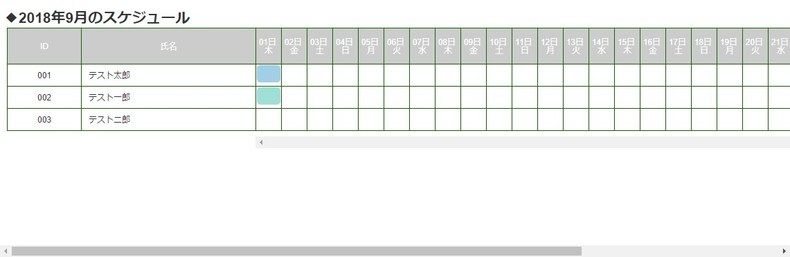
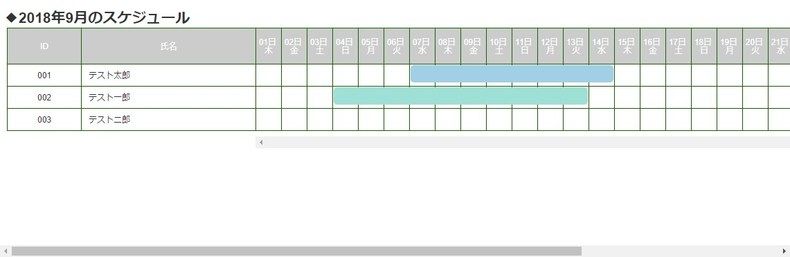
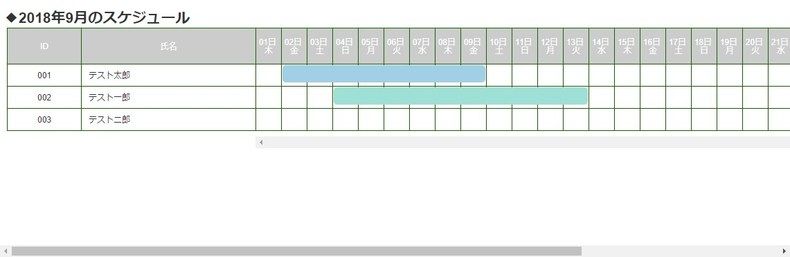
まとめ
次回はイベント系の処理を追加していきたいと思います。
ではでは。