【Vue.js】ボタンクリックで行の追加、更新、削除をしてみる。
おはようございます。
今日も引き続き Vue.js のお勉強。
今回はボタンをクリックして Vue インスタンスのデータを操作することで
関連付けられたDOMが更新されるというのを実際にやってみました。
スポンサーリンク
プログラム
css
css/style.css
@charset "UTF-8";

body
{
	font-family:Helvetica, 'Helvetica Neue', 'Mplus 1p', 'Hiragino Kaku Gothic Pro', 'ヒラギノ角ゴ Pro W3', Meiryo, メイリオ, Osaka, 'MS PGothic' !important;
	font-size:12px;
}

h1,h2,h3,h4,h5,h6,.h1,.h2,.h3,.h4,.h5,.h6
{
	font-family:Helvetica, 'Helvetica Neue', 'Mplus 1p', 'Hiragino Kaku Gothic Pro', 'ヒラギノ角ゴ Pro W3', Meiryo, メイリオ, Osaka, 'MS PGothic' !important;
}

div#app .table-container{
	height: 250px;
	max-height: 250px;
	overflow-y: auto;
	margin: 10px 0px;
}
html
index.html
<!DOCTYPE html>
<html xmlns="http://www.w3.org/1999/xhtml" xml:lang="ja" lang="ja">
<head>
	<meta charset="utf-8">
	<meta http-equiv="X-UA-Compatible" content="IE=edge">
	<meta http-equiv="content-type" content="text/html; charset=UTF-8">
	<title>Vue で Hello World</title>
	<meta content="width=device-width, initial-scale=1, maximum-scale=1, user-scalable=no" name="viewport">
	<link rel="stylesheet" href="https://maxcdn.bootstrapcdn.com/bootstrap/3.3.6/css/bootstrap.min.css" />
	<link rel="stylesheet" href="https://use.fontawesome.com/releases/v5.6.1/css/all.css">
	<link rel="stylesheet" href="css/style.css">
</head>
<body class="hold-transition fixed skin-blue-light sidebar-mini ">
<div class="wrapper" >
<div style="margin: 20px;">
<pre>
Vue.js で データ配列を元にテーブルを動的に生成するサンプル。

v-for を使って、インスタンス生成時に渡した配列データを走査して項目を出力します。

</pre>
</div>
	<div class="container">
		<div class="row">
			<div class="col-xs-12">
				<div id="app">
					<div class="table-container">
						<table class="table">
							<thead>
								<tr>
									<th>No</th>
									<th>名前</th>
									<th>年齢</th>
									<th>種類</th>
									<th>好物</th>
								</tr>
							</thead>
							<tbody>
								<tr v-for="item in items">
									<td>{{ item.no }}</td>
									<td>{{ item.name }}</td>
									<td>{{ item.sex }}</td>
									<td>{{ item.kind }}</td>
									<td>{{ item.favorite }}</td>
								</tr>
							</tbody>
						</table>
					</div>
					<div class="pull-right">
						<button id="addButton" class="btn btn-success" v-on:click="add">追加</button>
						<button id="modButton" class="btn btn-primary" v-on:click="mod">更新</button>
						<button id="delButton" class="btn btn-danger"  v-on:click="del">削除</button>
					</div>
				</div>
			</div>
		</div>
	</div>
</div>
<script src="https://cdn.jsdelivr.net/npm/vue/dist/vue.js"></script>
<script src="js/script.js"></script>
</body>
</html>
追加、更新、削除ボタンを追加し、「v-on:click」に新たに定義した関数を指定。
javascript
js/script.js
/**
 * Vueインスタンス生成
 */
const app = new Vue({
	el: '#app',
	data: {
		items: [
			{ no:'1', name:'そら', sex:'♂', age:'8', kind:'キジトラ', favorite:'犬の人形' },
			{ no:'2', name:'りく', sex:'♂', age:'7', kind:'長毛種', favorite:'人間' },
			{ no:'3', name:'うみ', sex:'♀', age:'6', kind:'ミケ', favorite:'高級ウェットフード' },
			{ no:'4', name:'こうめ', sex:'♀', age:'4', kind:'サビ', favorite:'横取りフード' },
		]
	},
	methods: {
		add: function(event) {
			console.log("addButton click");
			let no = this.items.length + 1;
			this.items.push({ no:no, name:'こなつ', sex:'♀', age:'8', kind:'キジトラ', favorite:'布団' });
		},
		mod: function(event) {
			console.log("modButton click");
			this.items.find((item) => item.name === "こなつ").favorite = "高いところ";
		},
		del: function(event) {
			console.log("dlelButton click");
			this.items.splice(-1);
		}
	}
})
methods を追加して、それぞれのボタンに設定する関数を定義しました。
起動してみる
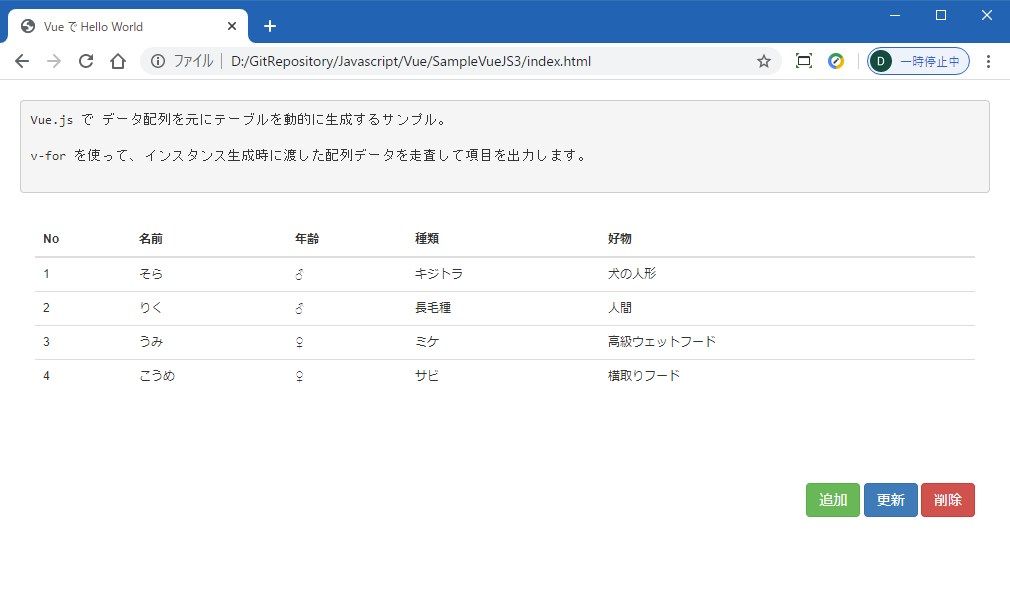
初期表示。
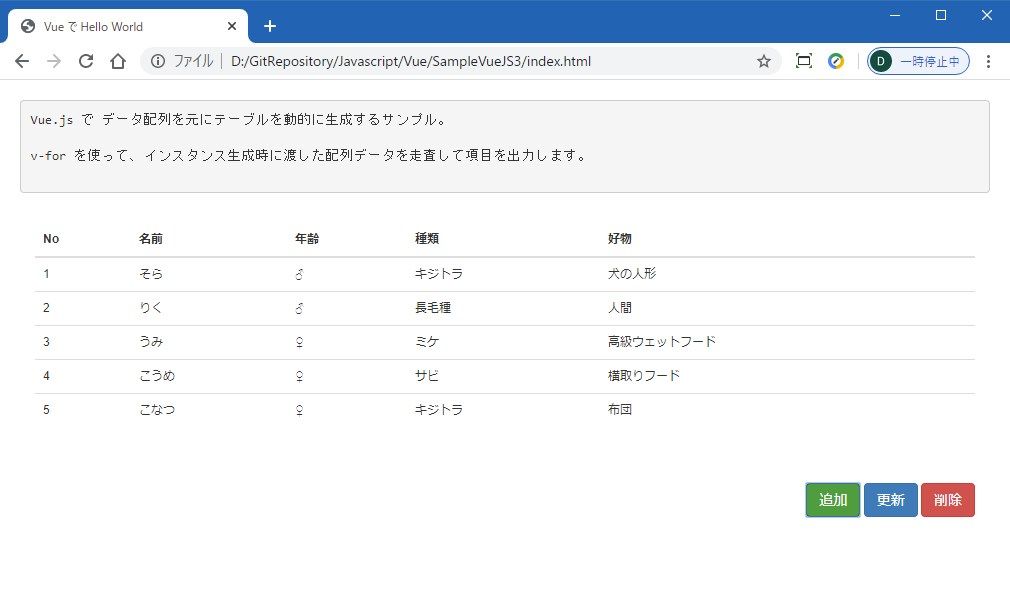
追加ボタンをクリックした後。
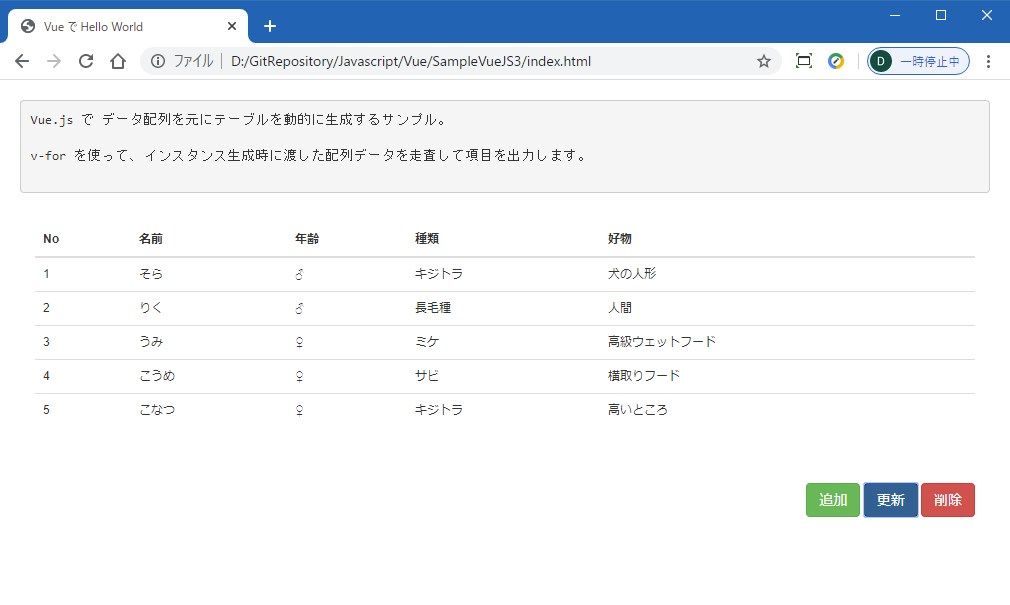
更新ボタンをクリックした後。
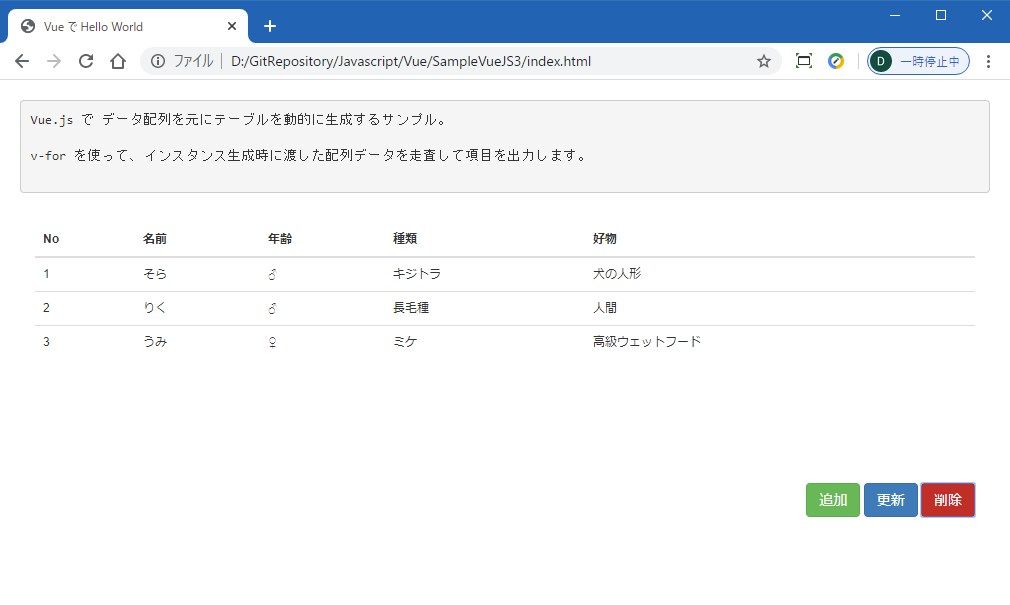
削除ボタンを2回クリック。
まとめ
想像以上に画面(DOM)操作が楽!
久しぶりの新しいフレームワークで楽しいです。笑
次回はもう少し高度な操作も試してみたいですね。
ではでは。